

Limit Increase Guide
Request Limit Increase Process
This guide outlines the steps to request a limit increase through 1109x trading form. Follow these six steps with live screenshots to increase your limit instantly.
Result After Completion
- Original Limit
- 50,000 THB
- Approved Limit
- 2,000,000 THB
System automatically approves and updates your limit when you submit complete information according to requirements
Overview of 6 Steps
Enter 1109x Chat
Trading Order Form Page
Click Request Limit Increase
Complete CDD Questionnaire
Submit Verification Information
Limit Increase Approved to 2 Million THB
Step-by-step with Screenshots
Click images to view full size. Each step shows real screen captures to help you confirm status and proceed accurately.
- 01
Enter 1109x Chat
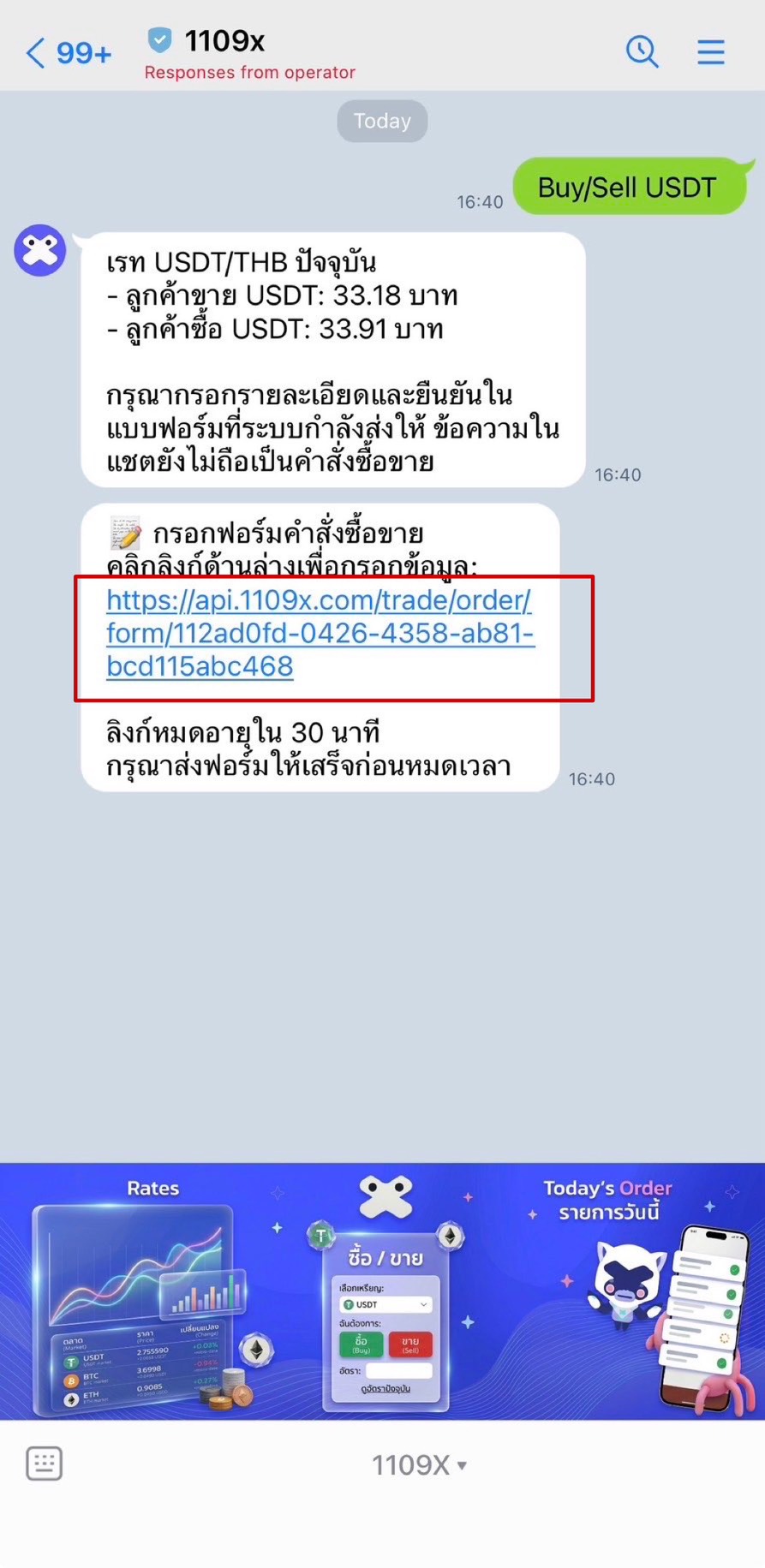
Click the "Fill Trading Order Form" link received in chat to access the system and start a transaction from the official channel - 02
Trading Order Form Page
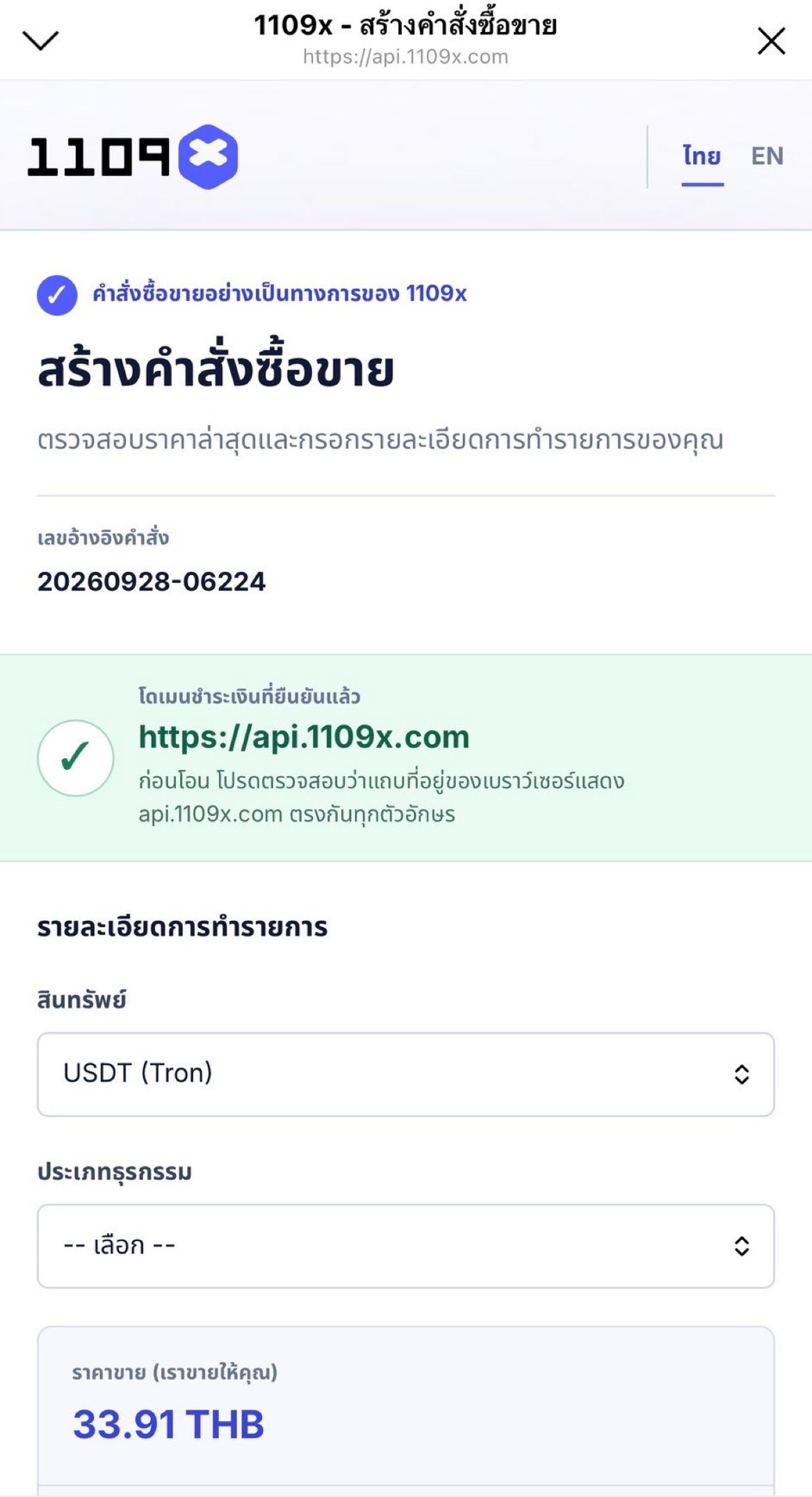
Verify the transaction details are correct and note the current remaining limit of 50,000 THB before proceeding - 03
Click Request Limit Increase
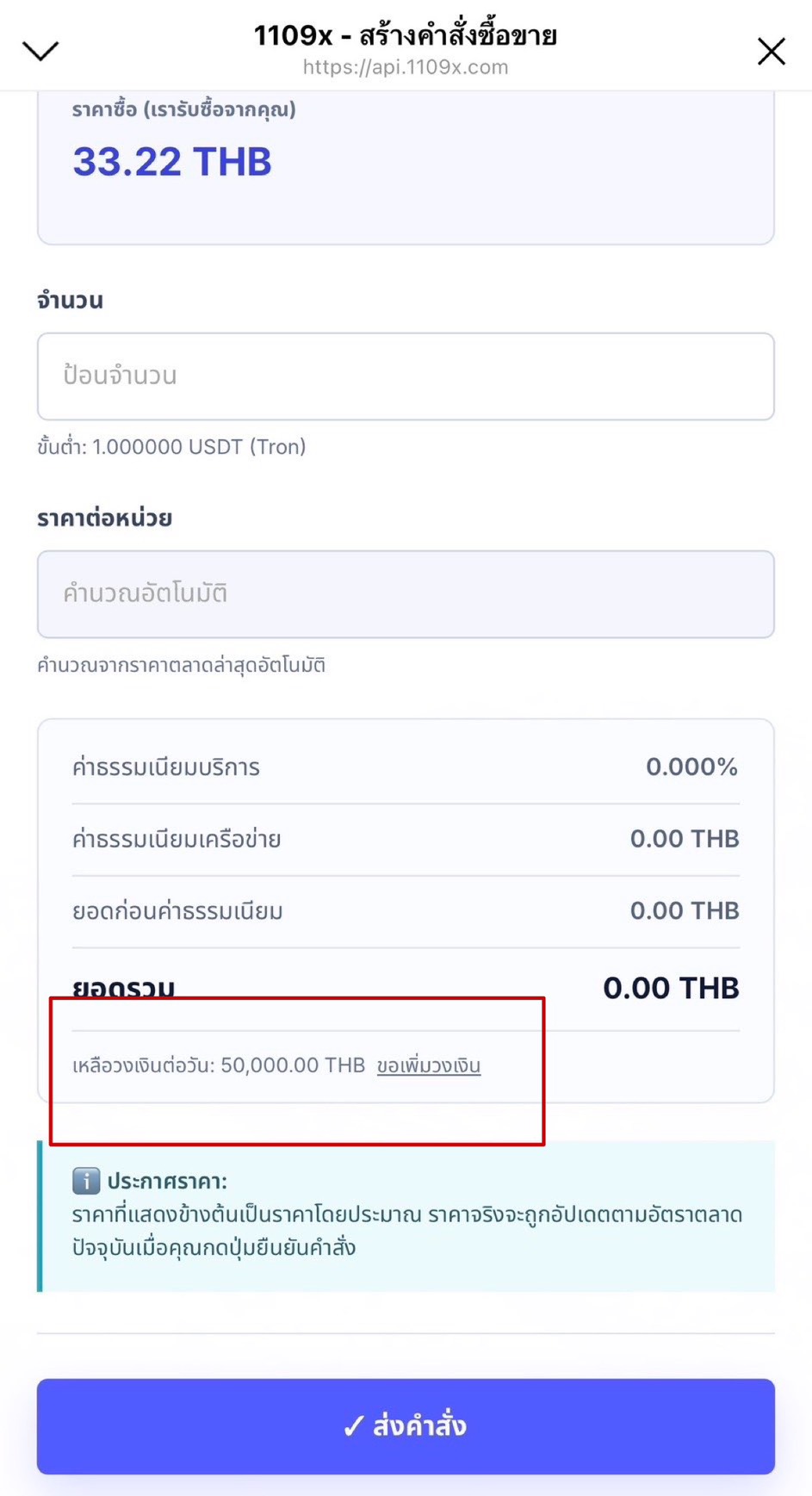
Click the "Request Limit Increase" button on the right side of the remaining balance bar to start the new limit assessment process - 04
Complete CDD Questionnaire
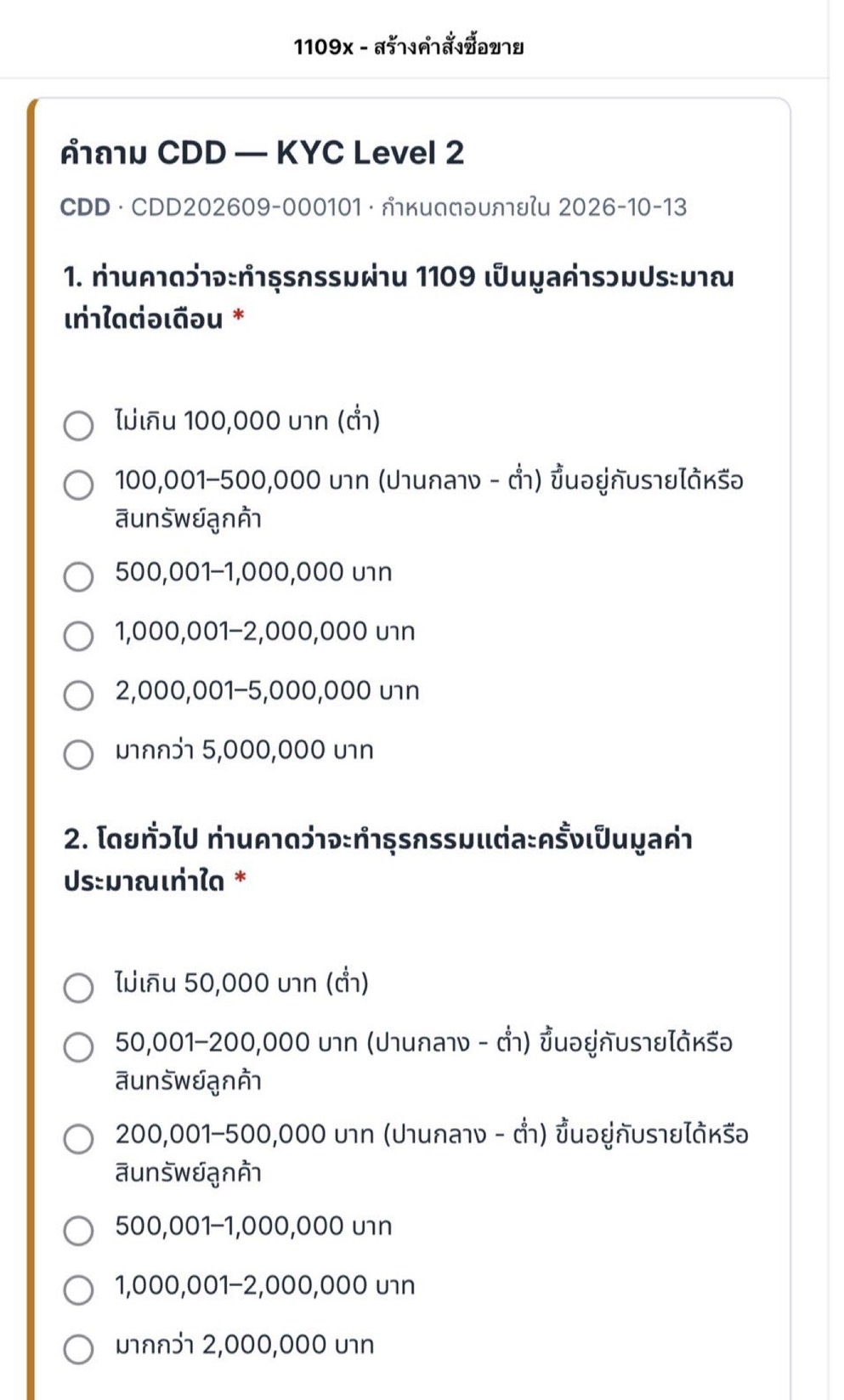
Complete the CDD - KYC Level 2 questionnaire thoroughly, providing accurate information about your history and transaction values - 05
Submit Verification Information
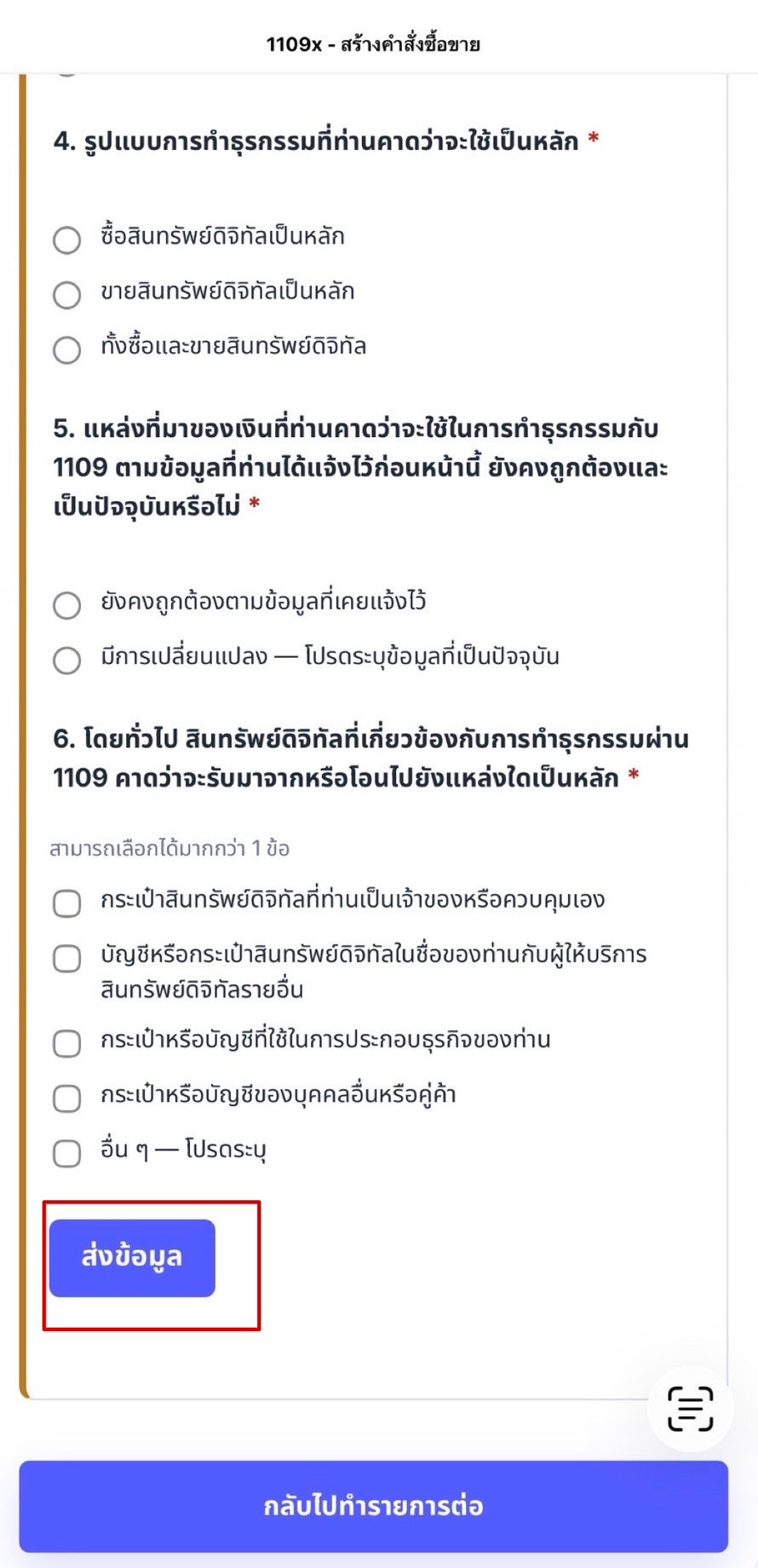
Select additional transaction information as requested by the system, then click the "Submit Information" button at the bottom to send your request - 06
Limit Increase Approved to 2 Million THB
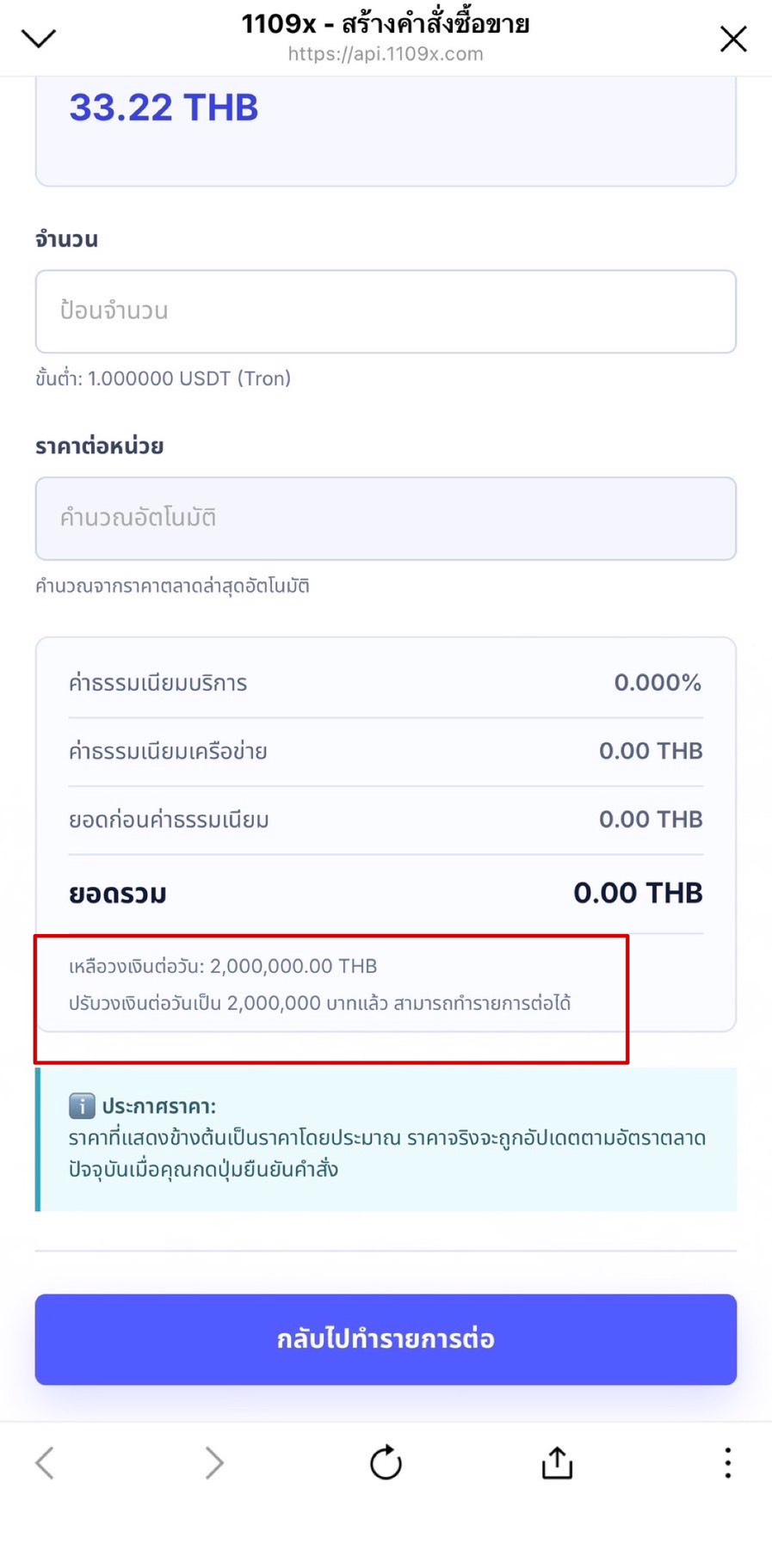
Once approved by the system, your limit will be automatically updated to 2,000,000 THB and you can start transacting immediately
Summary of Use
- Start only from the official 1109x chat link
- Check your current limit before requesting an increase, and complete the CDD questionnaire thoroughly
- Once you submit complete information, the system automatically approves and updates your limit to 2,000,000 THB, and you can transact immediately