

Account Linking Guide: Link Your LINE and Telegram Accounts
Link your accounts between LINE and Telegram into a single account. This allows you to conduct transactions and services through either Telegram or LINE without the need to register again.
Official Channels for Account Linking
Only send your account code through 1109x official channels: LINE Official Account @1109x or Telegram bot @official1109x_bot.
Step 1: Request Your Account Code
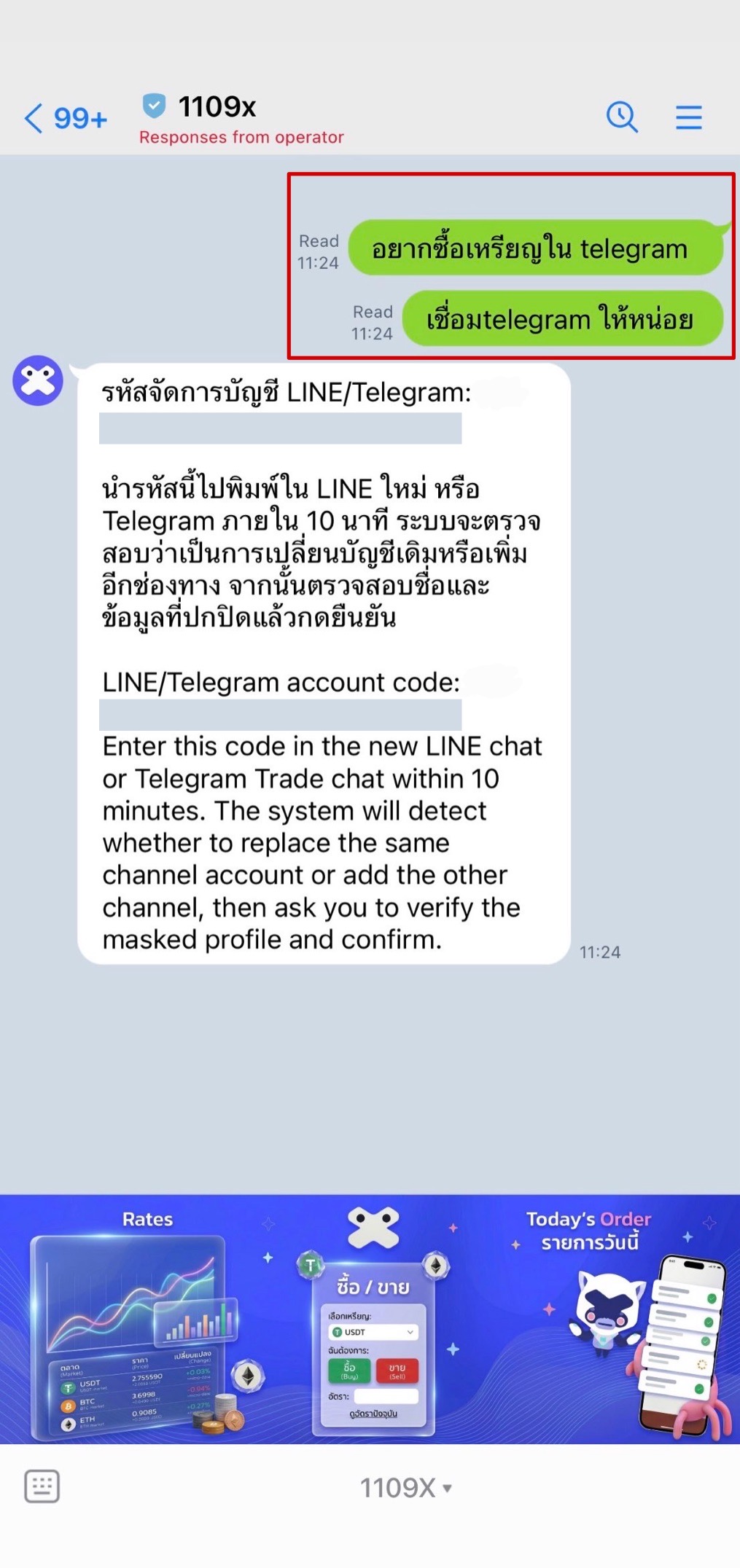
Open the main chat you use regularly and have already completed identity verification (KYC) through LINE Official Account @1109x or Telegram bot @official1109x_bot, then send a message expressing your intention, such as "I want to connect" or "Please help me link Telegram". The system will immediately reply with your account code.
Step 2: Copy Your Account Code
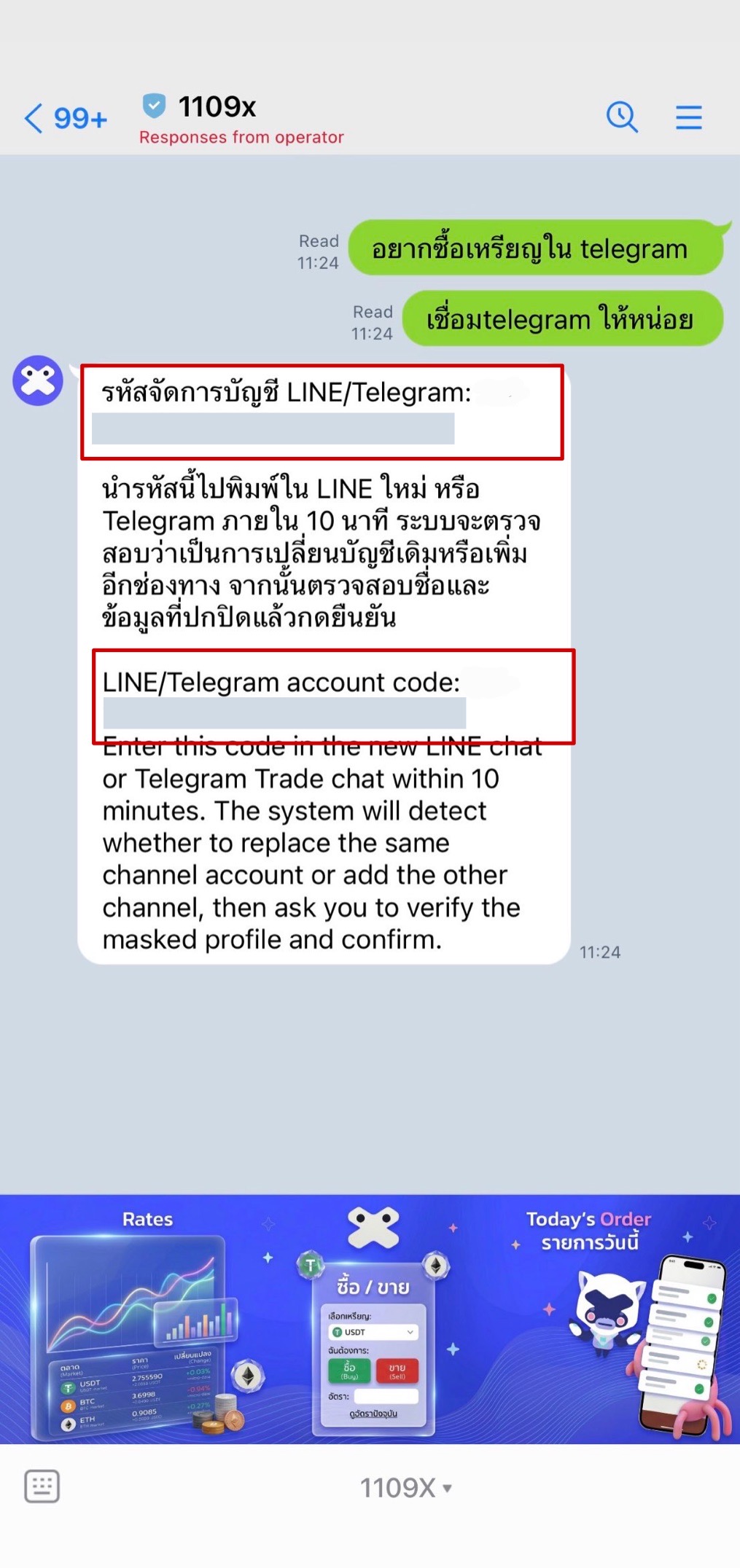
Once you receive the code from an official 1109x channel, click to copy the account code sent by the system. This code must only be pasted into the other official channel.
Step 3: Paste Code in Another Channel
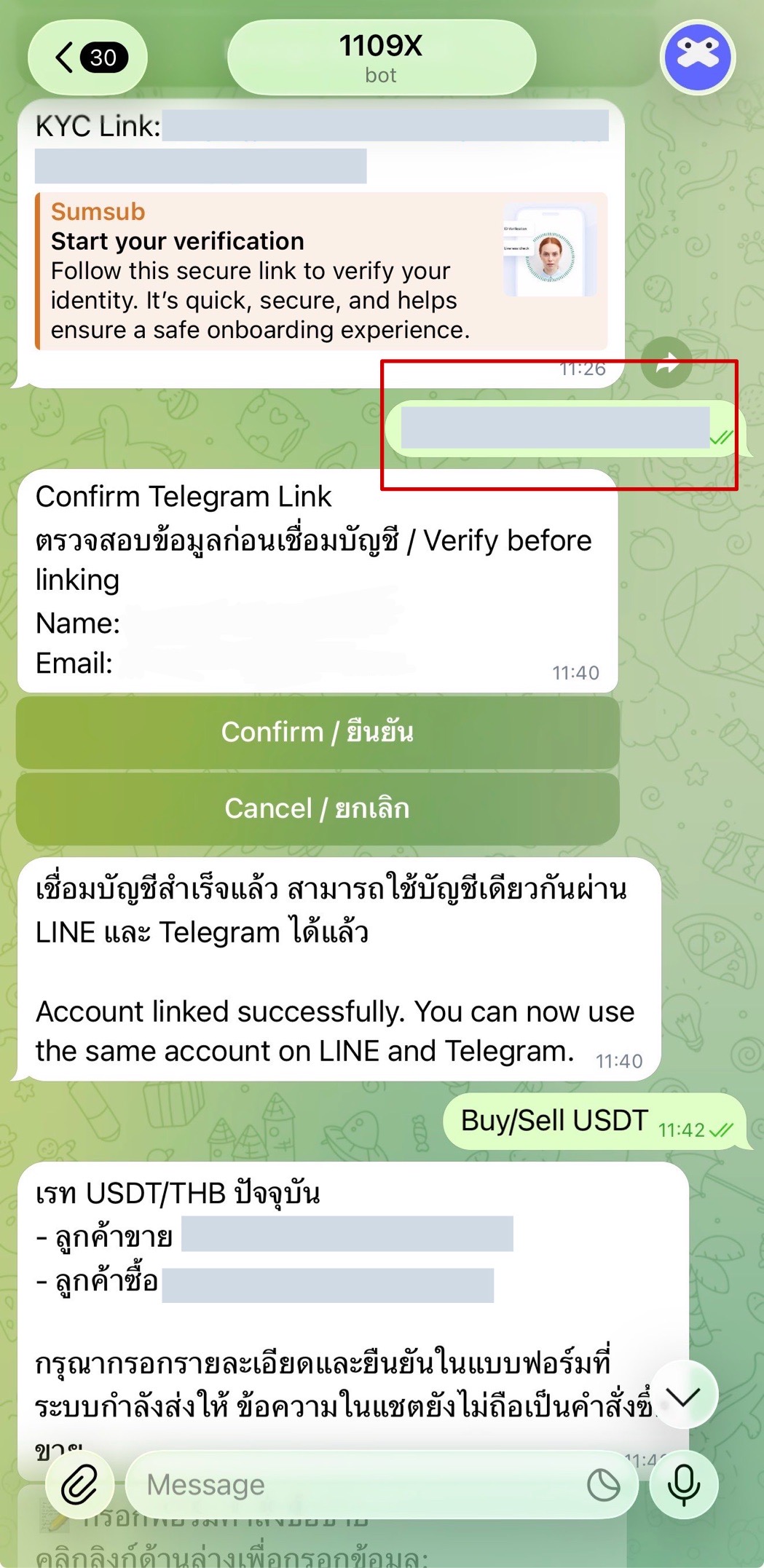
Switch to the other official channel you want to connect (for example, if you started from LINE Official Account @1109x, open Telegram bot @official1109x_bot, or vice versa). Paste the code into the chat box and send the message.
Step 4: Confirm Your Connection
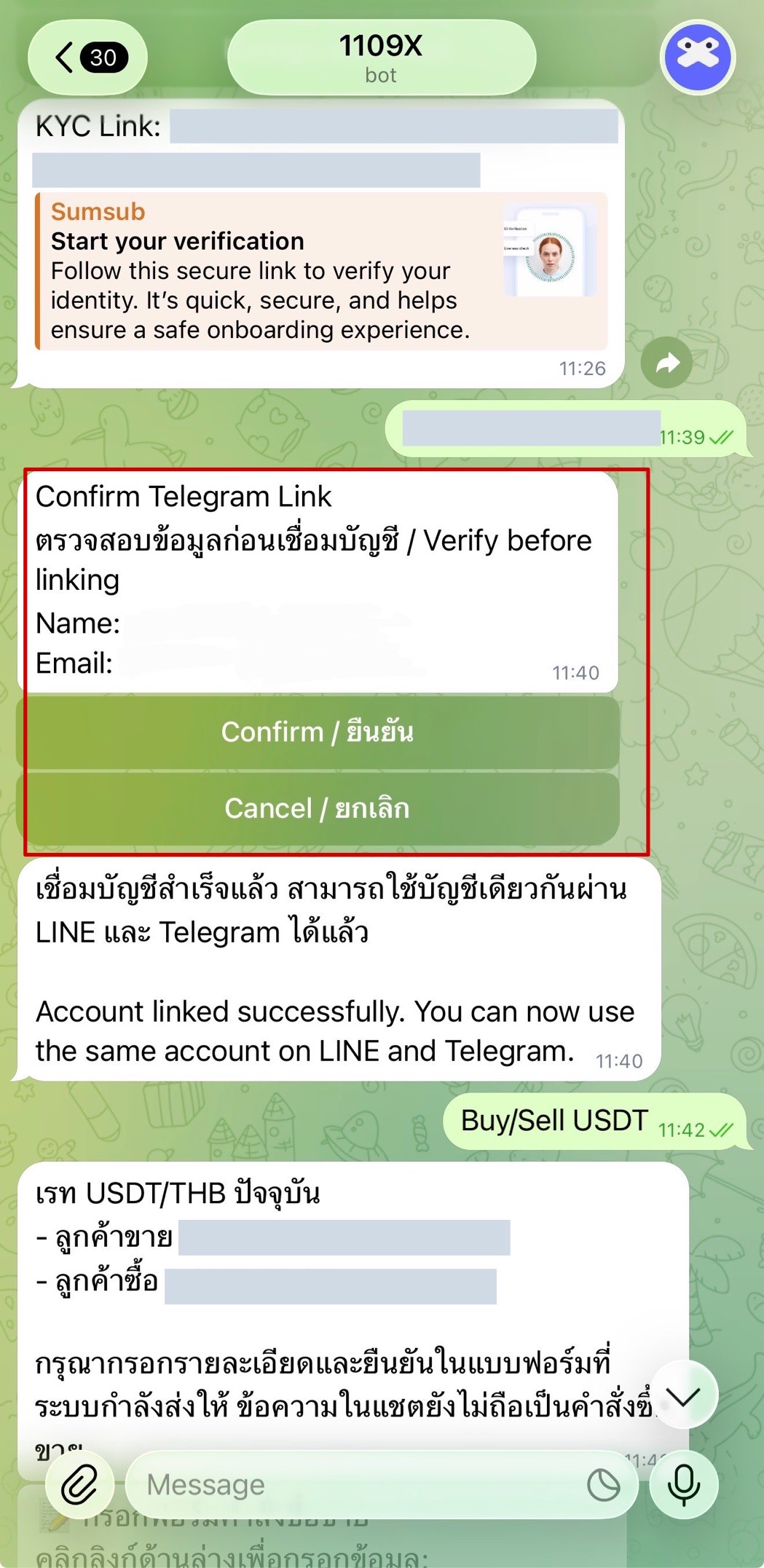
After sending the code, the system will display a "Confirm Link" message along with your personal information for verification. Once you confirm that the displayed name and email are truly yours, click the green "Confirm" button. The system will display a confirmation message that your accounts are now successfully linked. If the information is not yours, stop immediately and contact 1109x.
ℹ️ If you encounter any issues or have questions during the account linking process, please contact our 1109x customer service team via LINE Official Account @1109x. Our team is ready to assist you.
✅ Once the linking is complete, you can use the same account seamlessly through either LINE or Telegram